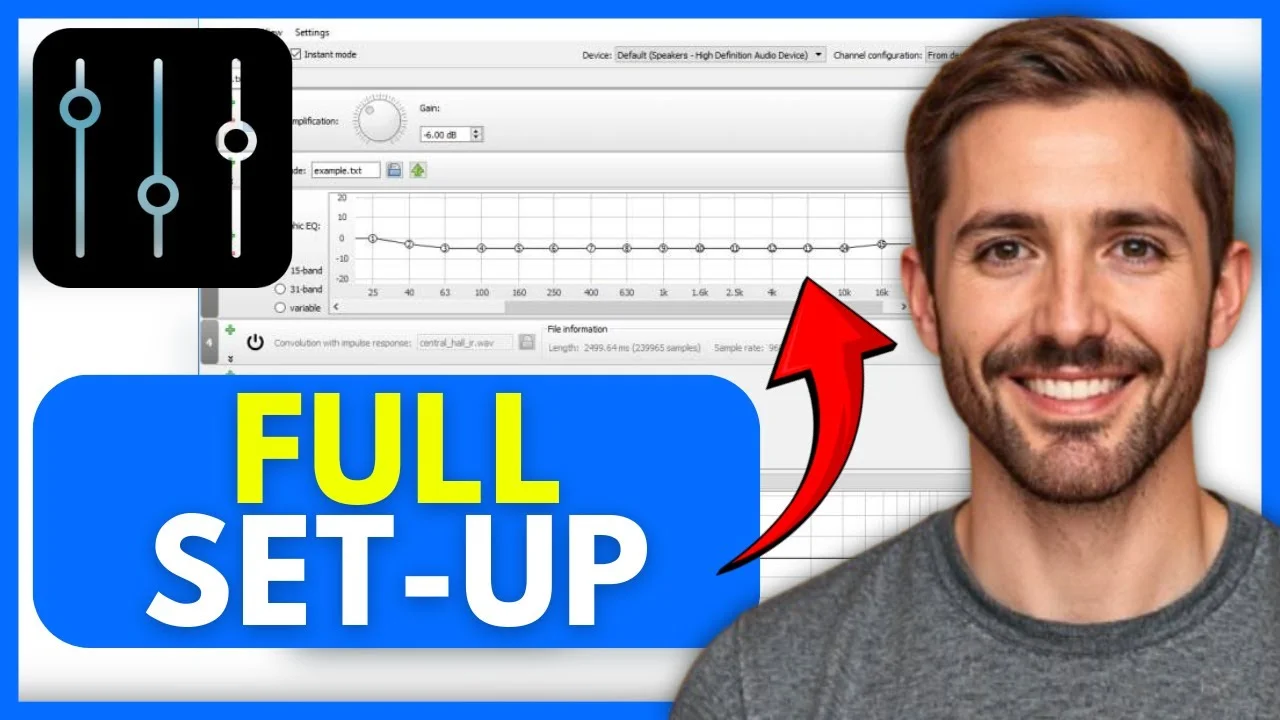
Equalizer APO is a free, system-wide audio equalizer for Windows. It lets you manually adjust the exact sound of your speakers, headphones, and microphones. It runs quietly in the background without draining your computer's processing power. Heavily used by gamers, audiophiles, and streamers due to its ultra-low latency, low CPU usage, and compatibility with professional audio tuning tools.
Equalizer APO is a free audio customization tool for Windows. It gives you precise control over the frequencies of your playback and recording devices. Gamers install it to boost the sound of footsteps in competitive matches. Streamers and podcasters use it to make cheap microphones sound like professional studio equipment. Everyday users download it to add bass to flat-sounding headphones or to balance the acoustics of their home theater speakers.
To understand why it works so well, you just need a basic idea of how Windows handles sound. Whenever you play a video or speak into a microphone, that audio travels through a digital pipeline.
APO Equalizer registers itself as an Audio Processing Object (APO) directly inside that pipeline. Instead of acting as a heavy application that sits open on your desktop, it intercepts and changes the sound at the system level. Because it sits underneath your other software, you don't need to tweak audio settings separately in Discord, OBS, or your games. It applies your sound profile globally and runs silently in the background.
Because Equalizer APO ties directly into native Windows architecture, it is incredibly lightweight. It runs easily on almost any modern computer.
Get both programs to activate visual equalizer control
You can download the Equalizer APO and Peace Equalizer setup packages directly from our website. The files are retrieved securely from the SourceForge repositories.
Download files are hosted securely on SourceForge and verified virus-free.
Getting the software up and running takes just a few minutes. We highly recommend installing both the base Equalizer APO program and the Peace Equalizer (a visual interface) at the same time.
Download the latest version of Equalizer APO and the Peace Equalizer interface directly from our download section. Save both installation files to your computer.
Double-click the Equalizer APO installer. Click through the standard setup wizard prompts to agree to the terms and select your installation folder.
During the installation, a window called the Configurator will pop up. Check the boxes next to the specific speakers, headsets, and microphones you want to adjust. Click OK and let the software test the installation.
Finish the first setup and immediately run the PeaceSetup tool you downloaded earlier. Click "Install" to add the visual interface on top of the base equalizer program.
Open the new Peace shortcut on your desktop. It will ask if you want a Simple interface or a Full interface. We suggest clicking the Full interface so you can see all your sliders and frequencies at once.
You can now drag the frequency sliders up and down to change your sound. Once you are happy with how things sound, click the "Save" button to name your profile and keep it active.
Prefer visual learning? Watch this step-by-step video guide to see how to install Equalizer APO, configure Peace GUI, select output devices, and configure optimal sound properties in Windows.
Equalizer APO gives you total control over how your computer handles audio.
Set your audio preferences once, and they apply automatically to every program on your computer. You never have to configure your microphone or speakers separately inside your games or chat apps.
Every adjustment you make happens instantly. There is no need to click apply, restart the software, or reboot your computer to hear how your new settings sound.
By adding the Peace Equalizer, you get a clean, easy-to-read graphic equalizer. You can add as many frequency sliders as you need to visually shape your computer's sound.
Unlike heavy audio mixing apps, Equalizer APO is built as a native Windows service. It uses practically zero CPU power, leaving your processing power free for gaming and rendering.
Adjust the gain, frequency, and filter width (Q factor) of every single band. This allows you to surgically balance your sound and fix specific acoustics in your room.
You can add advanced filters like low-pass, high-pass, peak, shelf, and notch filters to cut out background rumble or screechy frequencies.
Equalizer APO handles everything from basic stereo headphones to complex 5.1 and 7.1 surround sound home theaters, allowing you to tune each channel separately.
If you aren't sure how to build an audio profile from scratch, the Peace interface includes built-in Equalizer APO presets. You can instantly load profiles for bass boosts, vocal clarity, or hearing tests.
There are no premium tiers, subscriptions, or hidden paywalls. It is an open-source project managed by a dedicated community, giving you full access to all features for free.
Click any sound block above to audit the pipeline layers.
Underneath the hood, Equalizer APO is actually a very simple text-file reader tied to a highly optimized audio engine.
When you move a slider in the Peace Equalizer or the default Equalizer APO configuration editor, the visual program doesn't actually process the sound. Instead, it translates your slider movements into simple text commands. It saves these commands to a file named config.txt on your hard drive.
The Equalizer APO background engine constantly watches that exact text file. The exact millisecond it detects a change, it updates your system's audio. Because the engine is built directly into the Windows audio stack and uses double-precision math, it applies these changes instantly. This means you can close the user interface completely when you are done. The background service just keeps reading the text file and adjusting your sound.
Unlike many commercial audio mixers, this software costs nothing. You can download Equalizer APO directly from our website without creating an account or paying a subscription.
Heavy audio software can cause your games to drop frames. Because Equalizer APO works entirely as a background Windows process, it is incredibly lightweight and practically invisible to your processor.
You only have to configure your hardware once. The audio changes automatically apply to every single piece of software on your computer, from web browsers to video games.
You aren't restricted to 10 or 15 sliders. If you need 30 different adjustments to make your headphones sound perfect, you can add them all.
Because it is so popular, there are countless tutorials, forums, and shared configuration files online. If you are trying to figure out how to use Equalizer APO for a specific headset, someone else has likely already shared a guide.
It has been a stable tool for years. You set your configuration once, and it stays stable indefinitely, remaining active even after you restart your PC.
Optimize your headphones to match the Harman Target response curve. Select your headphone model below to load real, scientifically calculated parametric EQ settings.
| Band | Type | Frequency | Gain | Q-Factor |
|---|
To prevent digital clipping, this profile requires a pre-amplification of -6.4 dB.
Loading profile...
You might be wondering why you need this software when Windows already has built-in sound settings.
The default Windows sound menu is very basic. It lets you change your overall volume and occasionally offers generic "Bass Boost" or "Loudness Equalization" checkboxes depending on your sound card. You have no control over what those checkboxes actually do.
Equalizer APO replaces these basic checkboxes with surgical tools. Instead of a generic bass boost, you can pick the exact frequency you want to enhance, choose exactly how wide the boost should be, and control the exact volume of that specific frequency. It gives you professional-level control over hardware that Windows normally locks down.
Calibrate your Equalizer APO frequencies with scientific precision. Click on any hearing register below to see what sounds live there, what boosting or cutting does, and the exact filter commands to use.
Feel and rumble of movies, explosions, and deep sub-bass drops.
Physical punch of drums, basslines, and chest feel of lower registers.
Warmth and body of male vocals and acoustic string instruments.
Presence of instruments, primary vocal registers, and center projection.
Clarity of vocals, detail, and gaming cues like footsteps.
Airy hiss, brightness, cymbals, high harmonics, and treble presence.
Boomy, muddy sound that overflows and overshadows clean vocals.
Thin, hollow sound that feels empty and lacks lower register depth.
Filter: ON PK Fc 80 Hz Gain 3.5 dB Q 1.41
Digital distortion (clipping) occurs when boosted audio signals cross the maximum 0 dB threshold. Enter your highest positive filter gains below to calculate the matching safe preamp level.
Yes. It is a well-known, open-source project hosted securely on SourceForge. Anyone with programming knowledge can review the code. It does not contain viruses or malware.
You can download the installation files directly from our website using the links in the download section above. Alternatively, they are hosted securely on SourceForge.
They are part of the same system. The regular Equalizer APO is the engine that does the actual audio work. "Peter's Equalizer APO" usually refers to the Peace Equalizer, which is a visual interface created by Peter Verbeek. The Peace interface makes the base software much easier to use.
No. Equalizer APO for Mac does not exist. The software relies heavily on Microsoft's Audio Processing Object architecture. Apple computers handle audio in a completely different way, so the software simply cannot run on macOS.
No. For the exact same reasons it doesn't work on Mac, there is no Equalizer APO Linux build, nor is there an Equalizer APO Android app. It is built strictly for Windows.
FxSound is another audio enhancer for Windows. It is built for simplicity, offering a one-click solution to make music sound punchier. Equalizer APO is for people who want total, granular control over specific audio frequencies and channels. FxSound is easier for beginners, but Equalizer APO is far more capable.
No. Once you use the Peace equalizer APO interface to set your preferred audio levels, you can save the file and close the window completely. The equalizer will continue to run silently in the background.
Fixing annoying audio issues or improving a cheap microphone shouldn't require you to buy expensive external hardware. Equalizer APO gives you the tools to take control of the equipment you already own.
By installing the base engine and pairing it with the Peace Equalizer, you can completely change the way your PC sounds in just a few minutes. Download the software, pick your audio devices, and see what it can do for your setup.